Your food belongs in the picture.
Track sinigang, silog, merienda, and everything between. Klori pairs familiar Filipino food with honest calories and macros—without turning every meal into a restriction.
Android only for this soft launch.
- Manual logging stays reliable
- AI assists your choice, never replaces it
- Private invitations, sent thoughtfully
An example week. In the app, tapping a day opens its calories and macros.
Adobo is adobo, not “braised chicken, generic.”
Every row here is a real record in Klori today, with the numbers it ships with. Search familiar Filipino meals and ingredients without translating your plate into somebody else’s database.
| Dish | kcal | Protein | Carbs | Fat |
|---|---|---|---|---|
| Tortang Talong | 145 | 5.9 g | 6.4 g | 10.8 g |
| Chicken Adobo | 215 | 19.8 g | 3.2 g | 13.5 g |
| Pancit Bihon | 165 | 5.8 g | 24.0 g | 5.2 g |
| Sinigang na Baboy | 120 | 10.2 g | 4.6 g | 6.8 g |
| Cooked White Rice | 130 | 2.4 g | 28.2 g | 0.2 g |
Kanin is in that list because it is on the plate. Rice is the most logged thing on a Filipino table, so it is measured rather than guessed. Source · FNRI-derived seed data, per 100 g.
Chicken adobo, by macro
215 kcal / 100 g
- Protein
- 19.8 g · 37%
- Carbs
- 3.2 g · 6%
- Fat
- 13.5 g · 57%
More than a calorie counter.
- Meal logging
- Breakfast, Lunch, Merienda, Dinner, and Snacks—organized the way your day actually unfolds.
- AI photo & text scan
- Describe or photograph a meal, review the estimate, then decide what gets logged.
- Recipes
- Build your own recipes, understand per-serving macros, and cook from moderated community ideas.
- Progress & weight
- Read trends in context instead of overreacting to a single number or a single day.
- Water tracking
- Keep hydration visible beside food, weight, and the rest of your daily picture.
- Offline-first sync
- Log without a signal. Supported meal, weight, and water entries sync safely when you reconnect.
What happens when the signal drops
Klori writes your entry to the phone first, so logging never waits on a connection. The queue drains itself when you are back.
- Saved on the phone The entry is yours the moment you tap save.
- Queued to send It waits in an outbox, and retries when you reconnect.
- Synced, or flagged It clears on success. If retries run out, Klori tells you.
Three of these have a closer look: setting up, AI logging, and community review.
A recipe community that is actually looked after.
Klori members publish their own recipes and cook from each other’s. Every shared recipe carries its per-serving macros, and everything in the feed passes through a real moderation workflow before it reaches you.
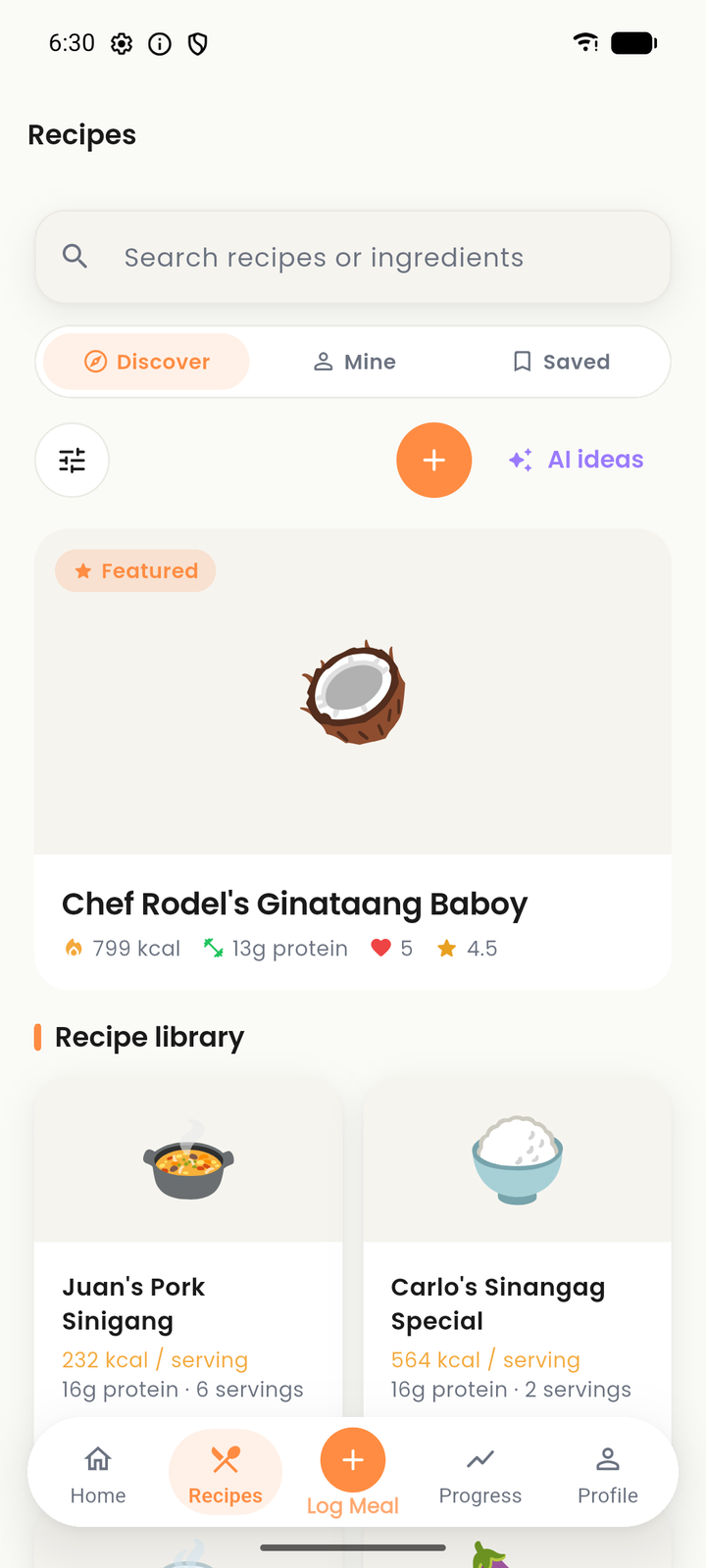
- Share your recipes
- Build a recipe from real ingredients, set the servings, and publish it with its calories and macros already worked out.
- Discuss in the comments
- Ask about substitutions, post how your version turned out, and reply in threads under any recipe.
- Save what you’ll cook
- Keep the recipes you want to come back to in one place, ready to log the moment you actually cook them.
- Rate what worked
- Star ratings from people who cooked a recipe are what push the good ones up the feed—not follower counts.
- Moderated, not unmanaged
- Shared foods, ingredients, and recipes go through an approval queue. Anyone can report content, and reports reach a real review queue.
- Community guidelines
- One published standard everyone is held to. Read the guidelines.
Set a direction. Log your meals. Learn from your week.
-
Step 1 of 3
Set your goal
Tell Klori what you’re working toward and choose targets that make sense for you.
-
Step 2 of 3
Log your meals
Search, scan, or enter food manually. You always review before anything is saved.
-
Step 3 of 3
See your week
Follow calories, macros, hydration, and progress without losing the story behind the numbers.
One screen for the whole day.
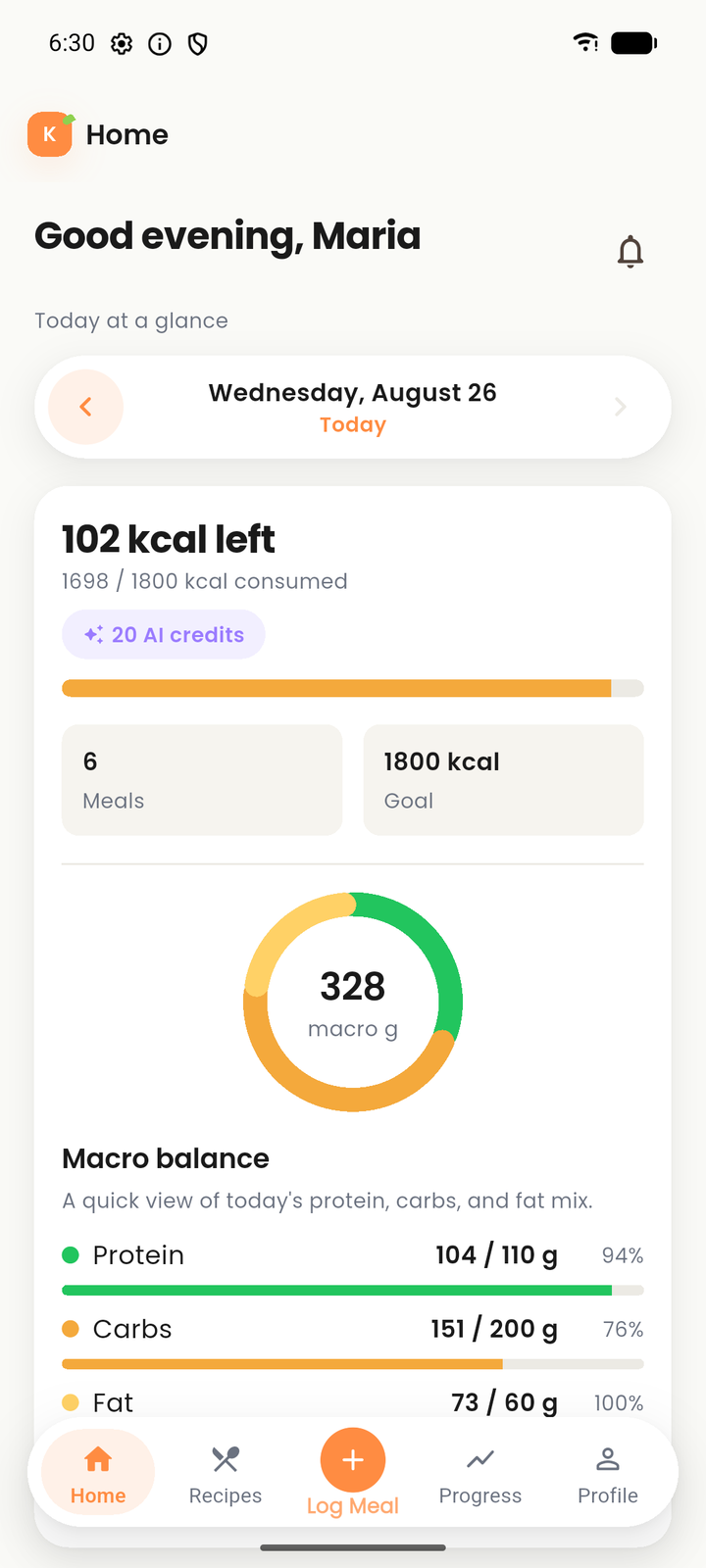
Calories, macros, water, and every meal you logged sit on the same daily screen. Your working copy stays on the phone through an offline-first outbox, then syncs when you reconnect.
- Platform
- Flutter mobile app
- Availability
- Android only, for now
- Offline
- Local working copy
- Ownership
- Your account, your logs
Straight answers.
Do I need a connection to log a meal?
No. Meals, weight, and water save to your phone first and sync when you reconnect. Losing signal mid-day does not lose the day.
Is the AI doing the logging for me?
No. You can photograph or describe a meal to get an estimate, but nothing is saved until you review it. Manual entry works entirely on its own if you prefer it.
What happens when someone edits a food I already logged?
Your log keeps the numbers it had the day you saved it. Later edits to a shared record do not rewrite your history.
Who checks the shared foods and recipes?
Everything shared goes through an approval queue before it reaches the feed, and anyone can report content into a review queue that a real person works through.
Why Android only right now?
There is no iPhone build yet. The soft launch is a single Android release, sent by invitation, so the first round stays small enough to actually respond to.
How does an invitation work?
We email you a private link. It opens once and then stops working. There is nothing on this page to install.
Can I delete my data?
Yes. Deleting your account removes your logs. The privacy policy sets out what is stored and how to ask for it.
Join Klori before the public release.
Tell us where to reach you. If there’s a place for you in the soft launch, we’ll email a private invitation that opens once—never a public link.
Android only for this soft launch. There is no iPhone build yet, and nothing to download from this page.